
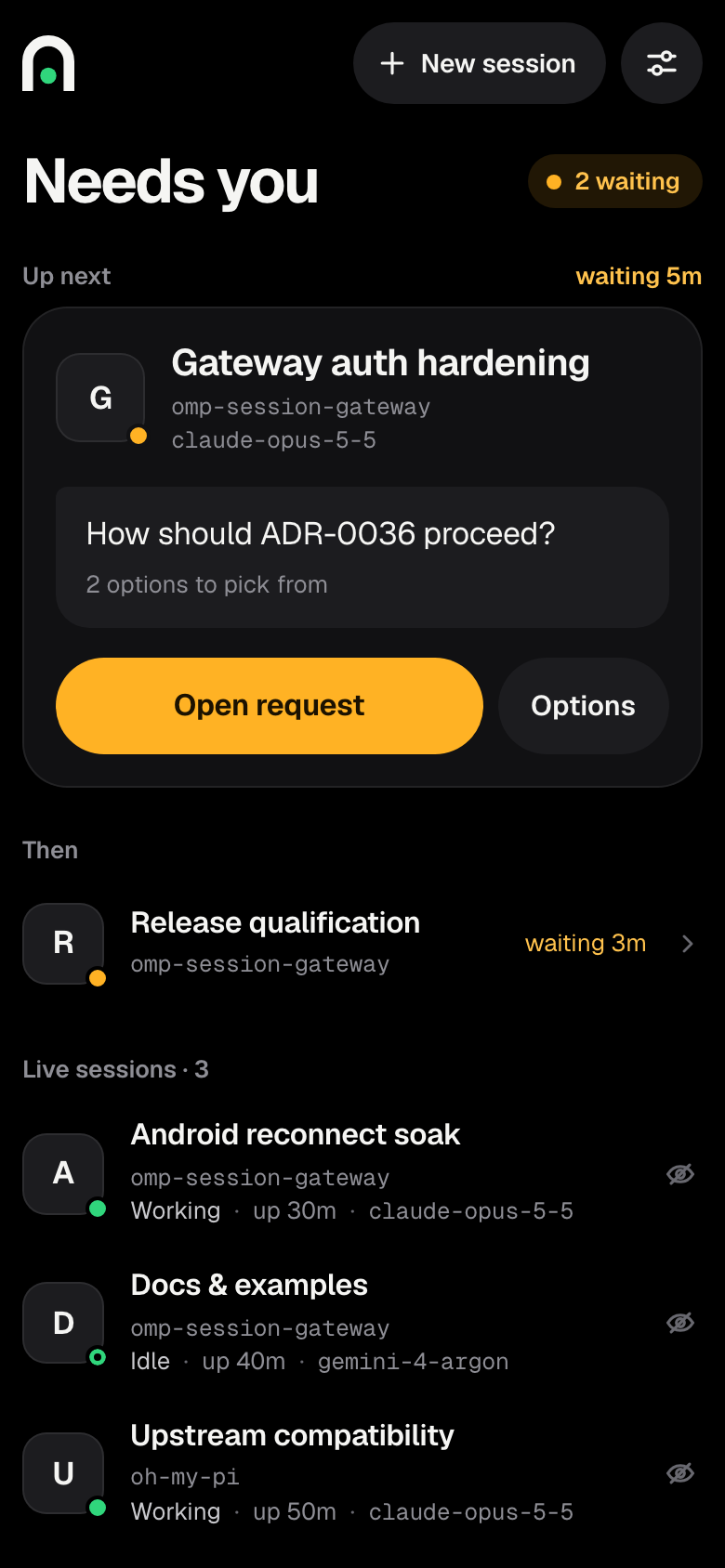
01 · Discover
Every live session, automatically.
Each collaboration-enabled omp process appears within one 10-second discovery poll. No per-session command, QR code, or copied link.
Private tailnet directory
Keep running stock Oh My Pi in your terminal. The gateway lists your collaboration-enabled sessions, shows which one needs you first, and opens OMP's own encrypted View or Control client over your tailnet — no fork, no QR scans, no per-session link copying.
How it works
A metadata-only directory hands off to OMP's own encrypted client. The terminal stays the source of truth; the phone gets one private page.
01 · Discover
Each collaboration-enabled omp process appears within one 10-second discovery poll. No per-session command, QR code, or copied link.
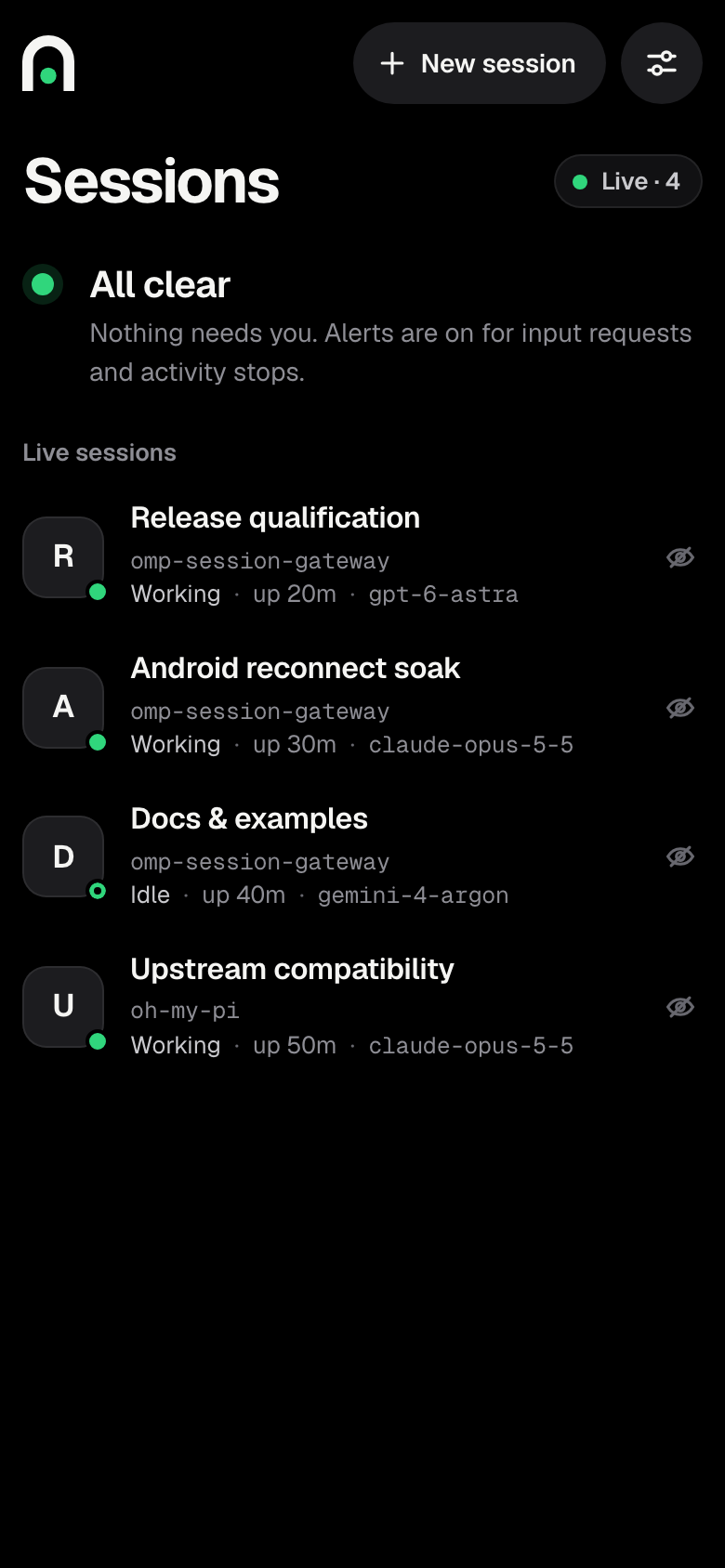
02 · Triage
When sessions wait for input, Needs you promotes the oldest request with bounded metadata (title, folder, model, and wait time). The prompt itself stays in OMP.
03 · Control
Open request fetches the collaboration link when you tap and opens OMP's encrypted client in Control mode. Leaving or reloading returns to the directory without saving the link.
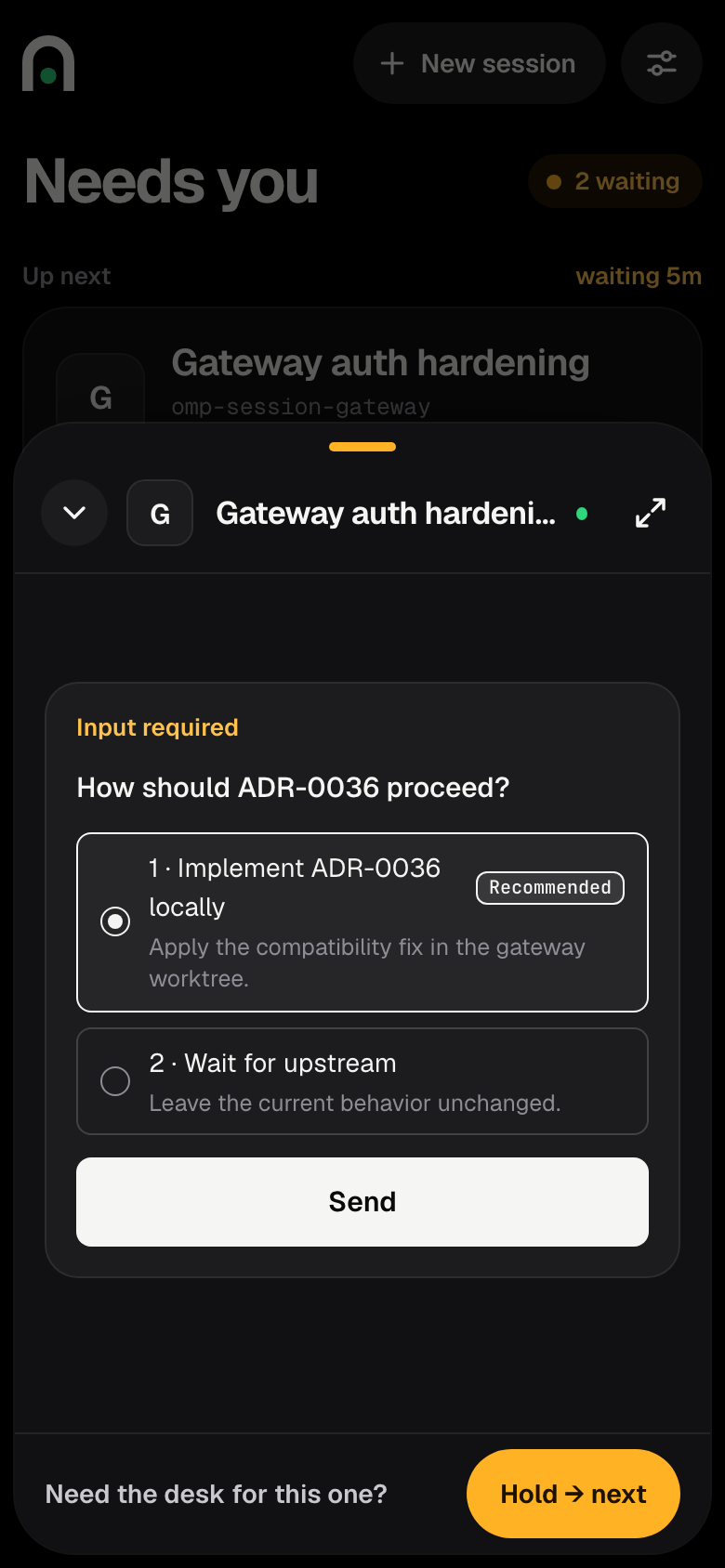
Details from synthetic captures of the built PWA and the pinned OMP collaboration client. Session names and requests are fixtures.
What runs where
Stock OMP with collab.autoStart ships the collaboration controller and a private local registry. The gateway only reads that registry and brokers the handoff; it never carries transcripts.
Publishes each interactive session to OMP's private registry when collab.autoStart is view or control.
Reads the registry, polls active hosts on a fixed interval, and keeps a memory-only metadata directory.
Exposes the directory to an exact login allowlist over your tailnet. Funnel is never enabled.
Shows metadata only. Tapping View or Control fetches the link from OMP at that moment and never stores it.
OMP's pinned collab-web client connects through OMP's own relay. The gateway is out of the path.
Full detail: architecture · protocol · OMP integration.
Private by design
View can read sensitive work and Control can steer it, so both links are treated as bearer capabilities. Every release runs distinctive-synthetic-secret leak scans across logs, storage, caches, URLs, and CI artifacts before it is qualified.
omp-gatewayd binds to 127.0.0.1 (and optionally ::1), never to a public interface.
Requests arrive only through TUN-mode Tailscale Serve from a Tailscale login on your allowlist. A userspace-networking client makes every peer look local, so the daemon answers 403 instead of trusting the header.
View and Control links are fetched from OMP only when you tap, handed to the client once, and never stored, logged, or cached — not even in the memory-only registry.
Session lists, live events, and push notifications carry bounded session metadata only, never collaboration links or prompts.
OMP's embedded client connects through OMP's encrypted relay. The gateway stores no transcripts and loads no external scripts, fonts, or analytics.
Every launch checks that the session is still the one you tapped; replaced or exited sessions fail closed instead of opening something newer.
Boundaries and acceptance gates on the security page; full threat model; report a vulnerability privately.
One-time setup
omp.Configure OMP and the host service once; new sessions then register automatically. Nothing here needs a custom OMP build or a gateway-specific OMP plugin.
# confirm your stock omp meets the minimum in Requires above
omp --version
# or view for read-only sharing
omp config set collab.autoStart control
Start participating sessions with plain omp after changing this setting; already-running processes do not pick it up.
Download and verify the published archive in your download directory first. Run the Tailscale Serve command that serve-guidance prints, grant your login HTTPS access to the host in your tailnet policy (example), then confirm with bun apps/gateway/src/cli.js doctor. Windows uses the PowerShell steps (one command per line, no backslash continuations).
tar -xf omp-session-gateway-*-bun.tar
cd omp-session-gateway-*-bun
bun apps/gateway/src/cli.js install \
  --origin https://host.tailnet.ts.net \
  --allow you@example.com
bun apps/gateway/src/cli.js serve-guidance
Open your configured HTTPS address from an allowlisted Tailscale device and add OMP Sessions to your Home Screen. Operations covers service management and updates; troubleshooting by symptom covers common issues.
Supported and qualified
Supported means tested in CI on each change with bug reports accepted. Qualified names the exact hardware, OS, and browser versions verified for the latest release — the status page lists them lane by lane.
Exact matrix, known limits, and vocabulary: compatibility · release ledger.
A narrow job
The gateway is a directory and launch broker for running terminal sessions, not a replacement chat client or a public dashboard. The comparison cites dated primary sources for each alternative.
pi, not OMP.